
The Official Emergency App of Moldova
One app – many life-saving features.
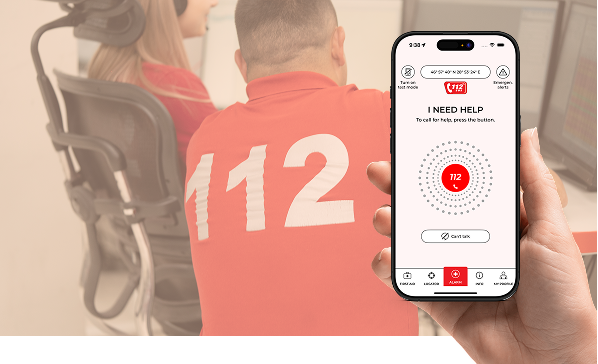
Call 112 with automatic transmission of your location and health data, use silent emergency chat, receive public safety alerts, find important places nearby, and access first aid instructions. All enhanced with cross-border emergency support.


The Official Emergency App of Moldova
One app – many life-saving features.
Call 112 with automatic transmission of your location and health data, use silent emergency chat, receive public safety alerts, find important places nearby, and access first aid instructions. All enhanced with cross-border emergency support.
Key Features at a Glance

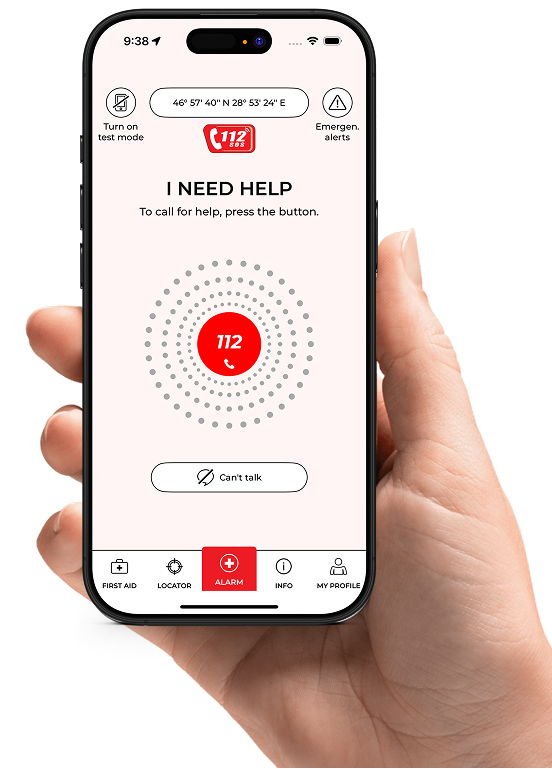
EMERGENCY CALL BUTTON
Your location and health data are automatically transmitted to the 112 control centers in the supported areas.
The emergency call button connects you directly to the 112 control center. In the supported areas, in addition to your location data, the previously
stored information from your health profile is also transmitted.

WARNINGS & ALERTS
Regional hazards, weather, closures – always up to date.
Stay informed at all times: The app displays current regional hazards, severe weather warnings, closures, or other safety-related information in your area.

LOCALIZATION
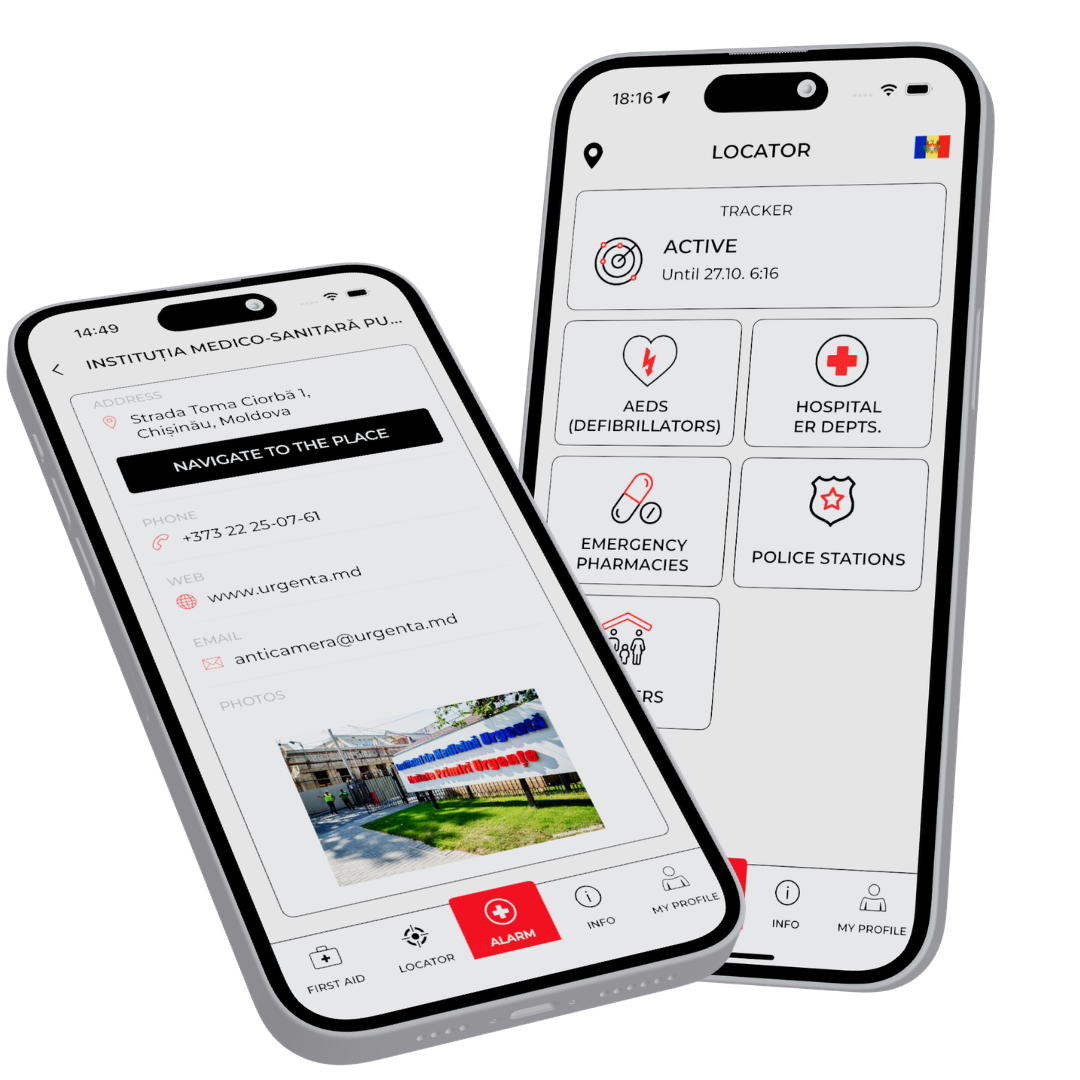
Based on your location, the app shows you nearby rescue points, hospitals, and police stations.
The app detects your location via GPS and shows you important points in your area: regional emergency clinics, the nearest emergency rooms, a database of automated external defibrillators (AEDs), and police stations — including information on how to reach them.

FIRST AID MEASURES
Emergency measures always at hand.
The comprehensive encyclopedia of first aid also helps you solve non-acute health problems.

TRACKER MODULE
Digital toolbox for anyone who loves outdoor activities.
With the tracker function, you can share your approximate location in nature with the contacts you have specified without significantly draining your battery.
Key Features at a Glance

EMERGENCY CALL
BUTTON
Your location and health data are automatically transmitted to the 112 control centers in the supported areas.
The emergency call button connects you directly to the 112 control center. In the supported areas, in addition to your location data, the previously
stored information from your health profile is also transmitted.
WARNINGS & ALERTS
Regional hazards, weather, closures – always up to date.
Stay informed at all times: The app displays current regional hazards, severe weather warnings, closures, or other safety-related information in your area.
lokalization
Based on your location, the app shows you nearby rescue points, hospitals, and police stations.
The app detects your location via GPS and shows you important points in your area: regional emergency clinics, the nearest emergency rooms, a database of automated external defibrillators (AEDs), and police stations — including information on how to reach them.
FIRST AID
MEASURES
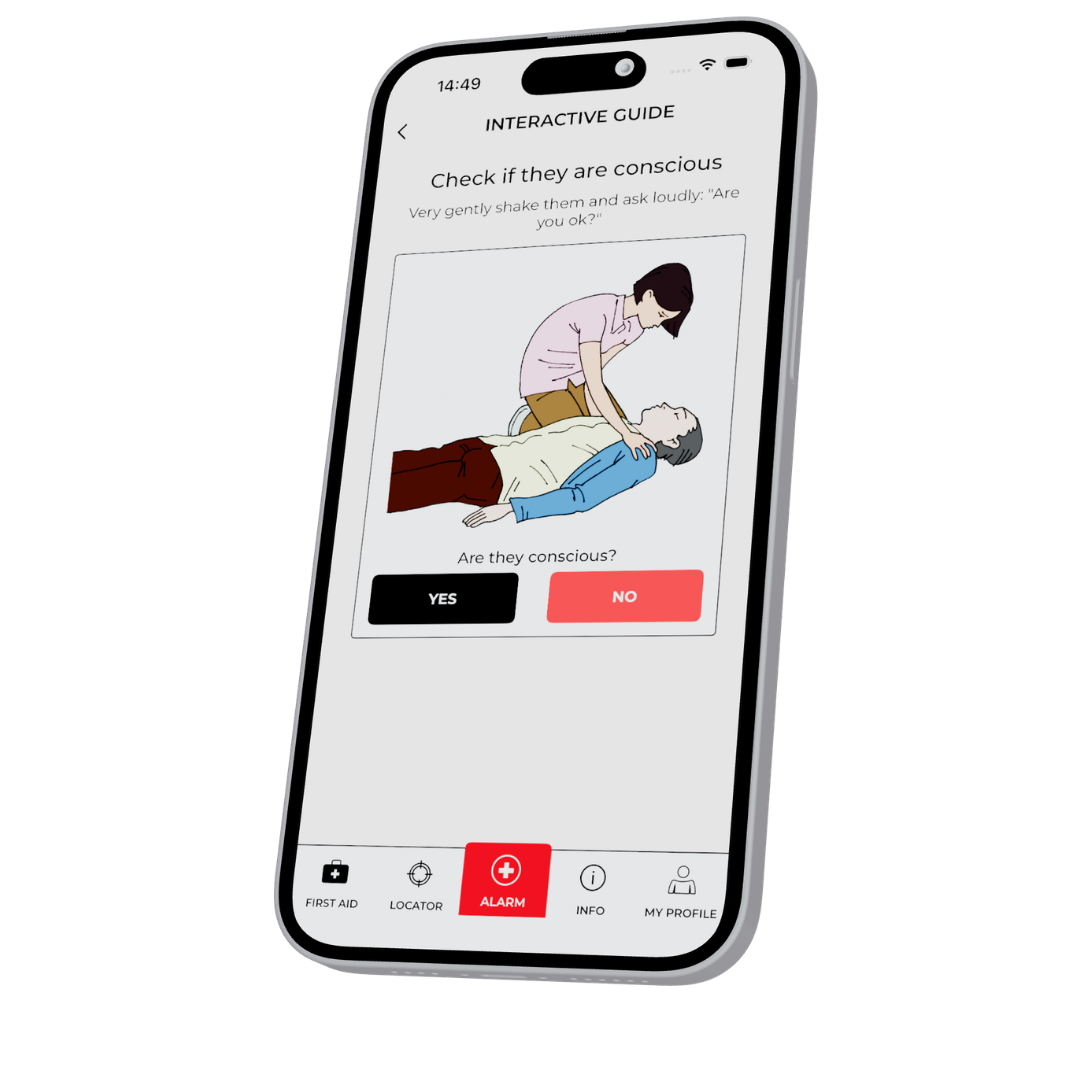
Emergency measures always at hand.
The comprehensive encyclopedia of first aid also helps you solve non-acute health problems.
tracker MODULE
Digital toolbox for anyone who loves outdoor activities.
With the tracker function, you can share your approximate location in nature with the contacts you have specified without significantly draining your battery.
How the App Works
In an emergency, all it takes is a tap of your finger:
The app calls for help and automatically sends your exact location to the emergency services. This saves valuable time – especially when every minute counts.
IMPORTANT PREREQUISITES

Verify your phone number
After installing the app, don’t forget to activate it by verifying your phone number.

Complete profile
The more information you provide (health, emergency contacts, etc.), the better we can help you.

Activate emergency functions
Allow the app to use your location in emergencies. If you want to receive alerts, activate push notifications.

Try out test mode
If everything is set up correctly, you can try it out in test mode.
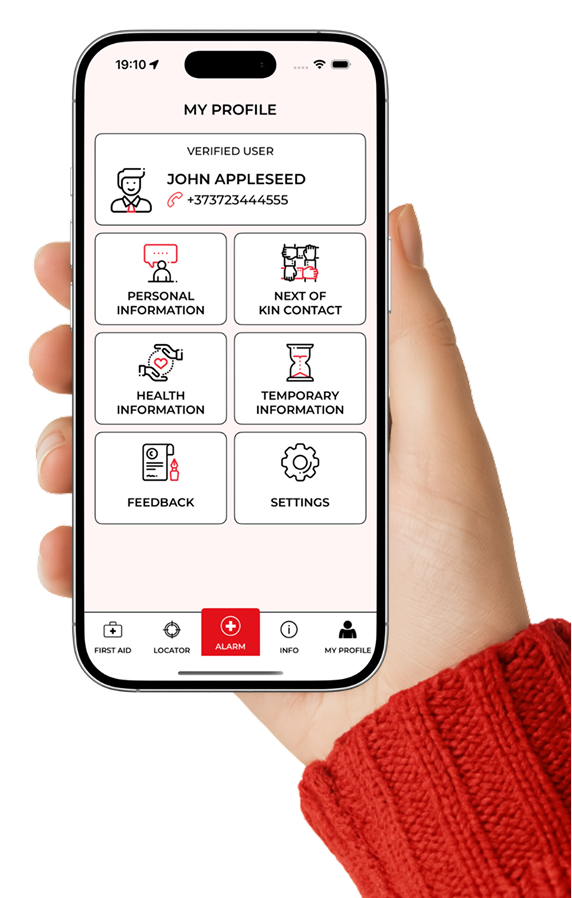
Emergency Guide
- Tap the emergency call icon – the app activates the emergency process and offers to call 112. This must be confirmed.
- The Can’t Talk button allows you to request help if you are unable to speak or face a language barrier.

Cross-border Functionality
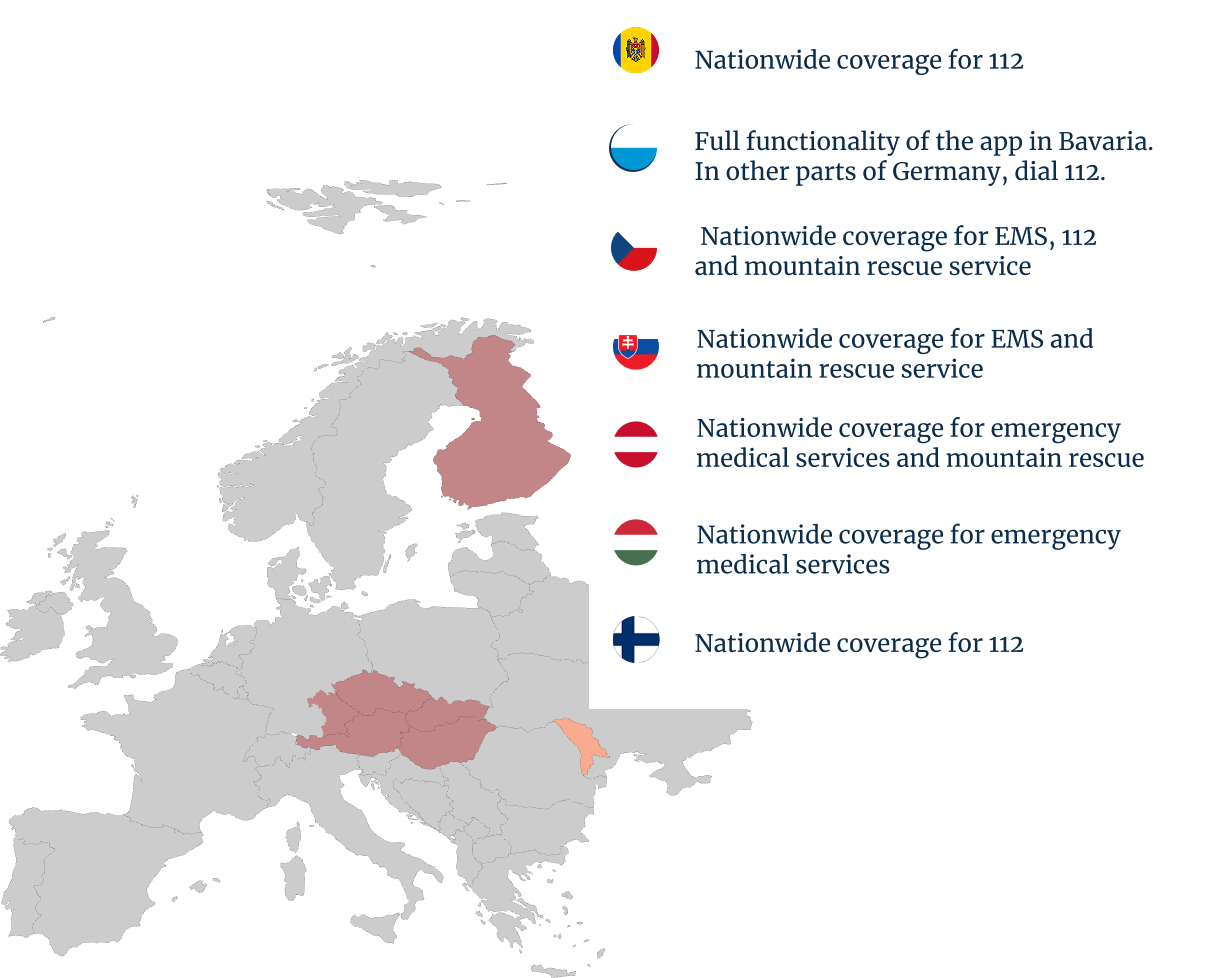
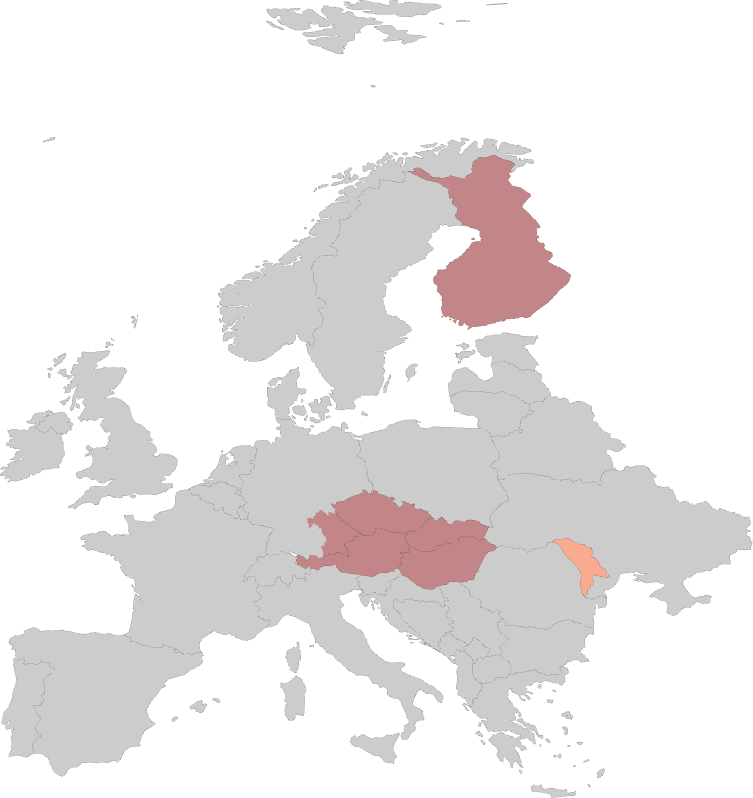
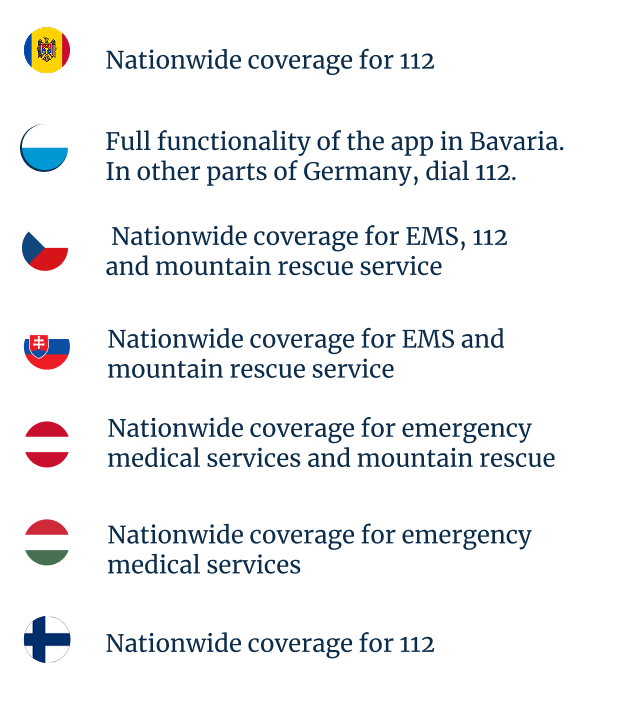
Help without borders, even in other countries. You can rely on the app not only in Moldova, but also in Austria, Bavaria, Czechia, Slovakia, Hungary and Finland.
Frequently Asked Questions
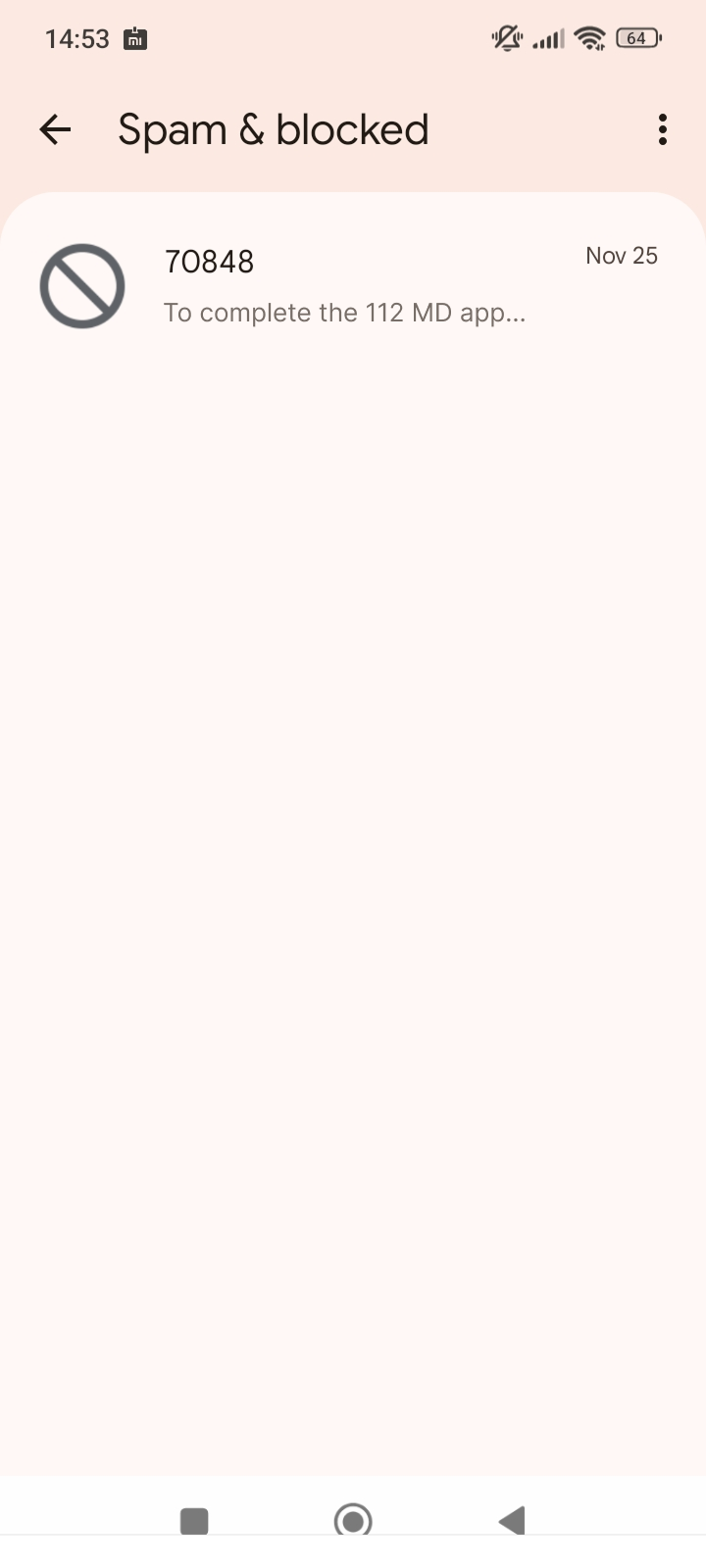
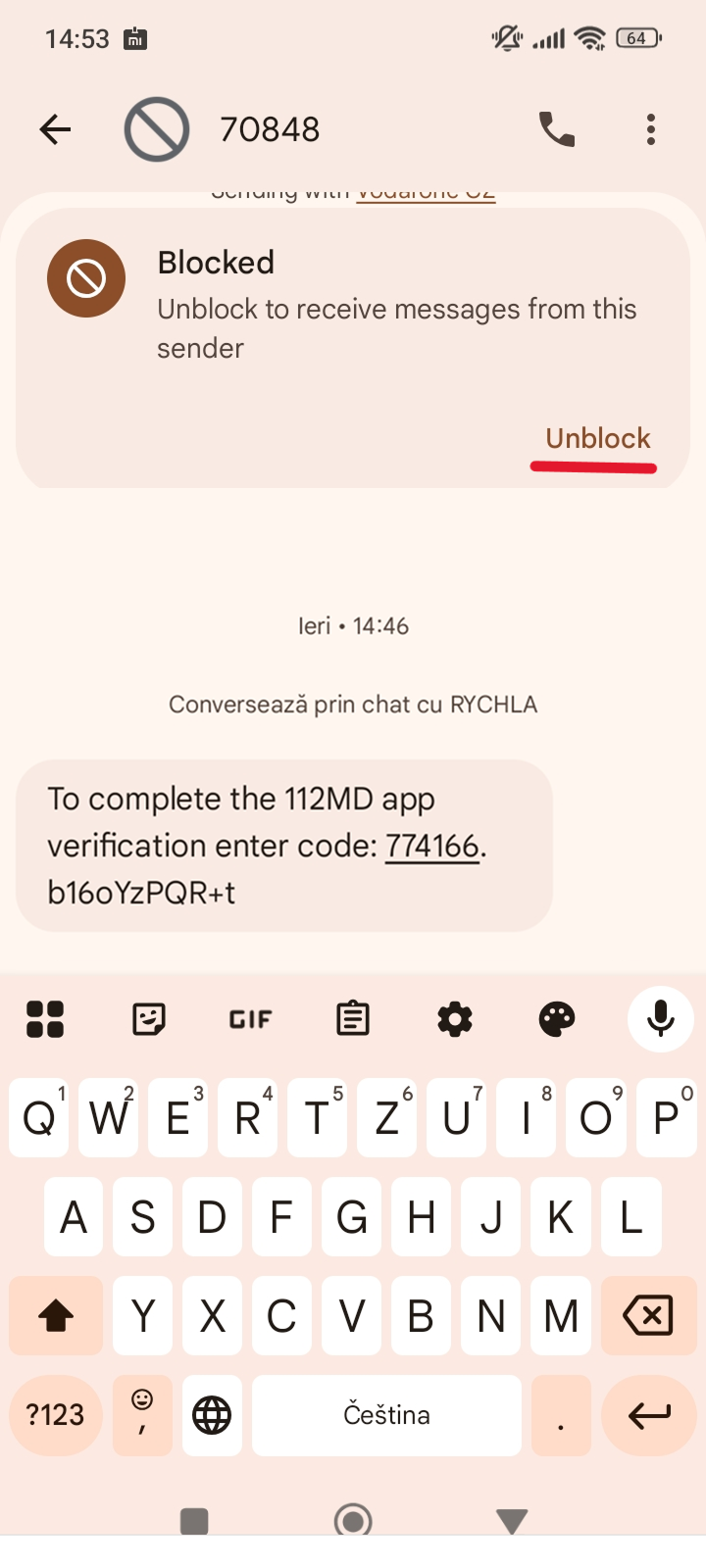
Some phones, especially Xiaomi, Huawei, and Motorola, have built-in protection against unwanted messages. Unfortunately, important messages, such as confirmation SMS messages from the emergency call app, are sometimes mistakenly classified as spam and either hidden in the spam folder or not displayed to the user at all.
That’s why we’ve prepared instructions on how to find the spam/blocked folder and unblock the message.
1) Open the Messages app.

2) Right-click on the profile.

3) Select Spam and Blocked Messages.
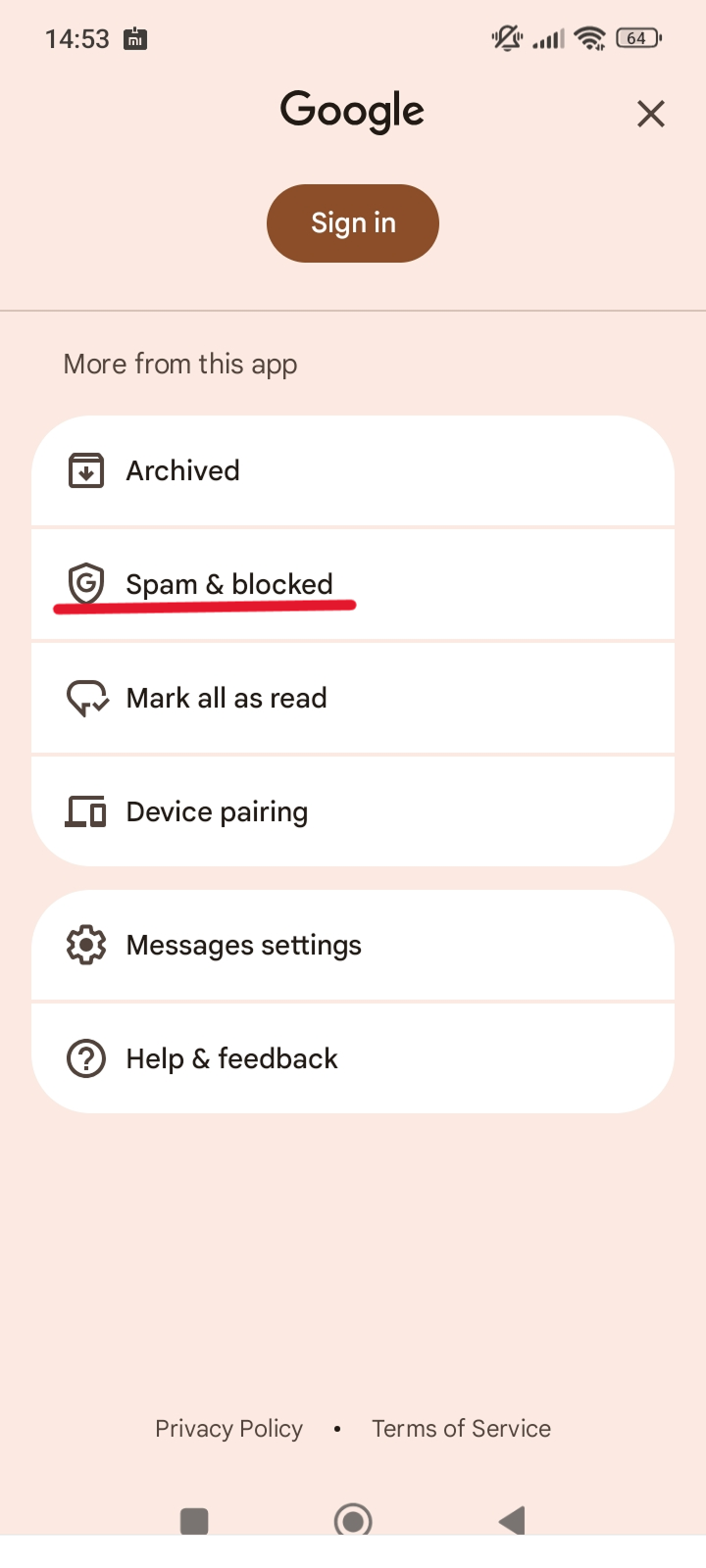
4) Open the message.
5) Select “Unblock” and use the code to confirm.
Registering your name and phone number enables faster and more accurate assistance in an emergency. Additional profile data such as medical information and emergency contacts can be transmitted only through verification. This information helps the control center to better assess the situation and respond appropriately – which is particularly important in complex or medical emergencies. The data is stored exclusively locally on your device and is not transferred to servers.
After downloading the app, enter your first name, last name, and phone number. You will receive a text message with a confirmation code, which you enter in the app. Your number will then be verified. Please also fill in the user profile section with medical information and emergency contacts. This data is not stored on servers, but only locally on your device.
Verifying your phone number is important for activating the app and ensuring the security of the emergency call functionality. However, you can still also dial 112 on your phone without the mobile app.